Export self-contained HTML for OBS
Download a single HTML file or a ZIP with assets — what each format includes, how relative paths work, and why local export beats hosted widgets.
Export is the product. Everything before it — templates, themes, Kick channel — exists to produce a file OBS can load. Self-contained means that file runs from your disk with layout, styles, Kick chat wiring, and stats bundled in. No Stream Overlays login during your stream. No embed URL that dies when a host changes terms.
This guide explains HTML vs ZIP, how relative assets work, and how to store exports so Browser Source keeps working.
What the export includes
When you click export in the builder, you get:
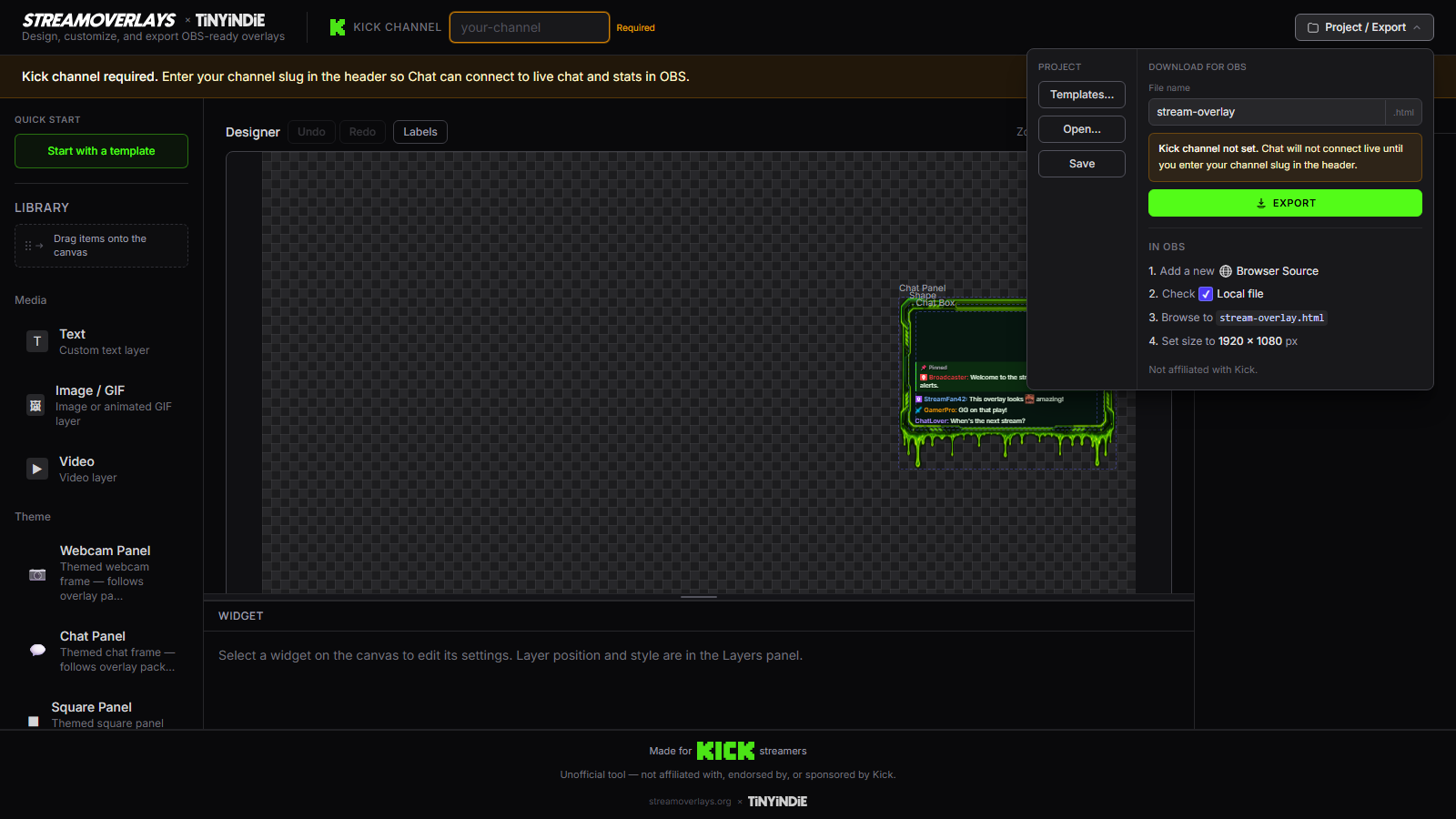
- HTML structure for your template layout — chat zones, frames, stats, Starting Soon text
- CSS for colors, fonts, and positioning you configured
- Kick integration for your channel slug — live chat and stats scripts embedded in the page
- Assets (images, custom fonts) — inline or as sibling files depending on format
The export does not phone home to Stream Overlays while you stream. Kick's APIs handle live data; your overlay HTML is local.
HTML export — one file, fastest path
Choose single HTML when:
- Your overlay uses web fonts and styles without separate image files
- You want one file to backup, copy to a second PC, or version in a folder
- You prefer the simplest OBS Browser Source path — browse to one
.html
The builder inlines what it can. Small logos may be embedded as data URLs. Result: drop my-kick-chat.html into a folder, point OBS at it, done.
Limitations:
- Large uploaded images or custom font files may bloat the HTML or require ZIP instead
- Editing raw HTML by hand is possible but not the workflow — re-export from the builder when you change design
ZIP export — when assets travel separately
Choose ZIP when:
- You uploaded logos, badges, or background images as separate files
- You use custom font files (
.woff,.woff2,.ttf) referenced by the page - You want a tidy folder structure —
index.htmlplusassets/orfonts/
Unzip somewhere permanent:
Documents/StreamOverlays/kick-gaming-v2/
  index.html
  assets/logo.png
  fonts/CustomFont.woff2
Point OBS Browser Source at index.html inside that folder. Relative paths resolve from the HTML file's location. Moving index.html without its assets/ folder breaks images — keep the folder intact.
Relative paths — why folder structure matters
Self-contained ZIP exports use relative URLs — assets/logo.png, not C:\Users\... and not https://streamoverlays.com/....
Browser Source loads your HTML as a local file. The browser resolves ./assets/logo.png relative to where index.html lives. That means:
- Don't rename the assets folder without updating HTML (re-export instead)
- Don't copy only
index.htmlto OBS — copy the whole unzipped directory - Network drives and cloud-synced folders sometimes lock files; prefer a local SSD path
If images show broken icons in OBS, the path is wrong or the folder is incomplete. Open index.html in Chrome from the same path — if it breaks there, fix the export or unzip layout before blaming OBS.
HTML vs ZIP — decision table
| Situation | Format | |-----------|--------| | Chat overlay, theme colors only, no uploads | HTML | | Custom logo PNG | ZIP (or HTML if inlined) | | Custom font files | ZIP | | Starting Soon with background image | ZIP | | You want one file in git/backup | HTML when possible |
You can export both formats from the same project at different times. Pick what matches your asset footprint.
After export — file hygiene
- Save to a dedicated folder — not Downloads, not Desktop clutter.
- Name with version or date —
kick-chat-2026-08.htmlbeatsoverlay.html. - Keep the last known-good export when trying a bold rebrand.
- Add Browser Source in OBS pointing at the file — see add overlay to OBS.
- When you re-export, refresh OBS cache or overwrite the same path.
Why local export wins
Hosted widgets depend on a third party staying up, keeping your account active, and not changing embed rules. Paid packs give static PSDs or PNGs without live Kick chat. Self-contained HTML gives you live data and file ownership — boring, reliable, yours.
Stream Overlays is free because the conversion is export, not checkout. The HTML on your machine is the deliverable.
Re-export workflow
Design changed? Channel rebranded? New accent color?
- Open builder (or load saved project if you use project save)
- Adjust design
- Export HTML or ZIP
- Replace file in OBS or update Browser Source path
- Refresh cache
No subscription unlock. No "export limit." Ship the new file.
Have a design ready? Open the builder and export HTML or ZIP for OBS Browser Source.
FAQ
Is the HTML file safe to share?
It contains your layout and Kick channel slug — no passwords. Sharing exposes your channel wiring, not account access. Treat it like any stream asset.
Can I edit the HTML in VS Code?
Yes, but builder re-export is supported; manual edits may be overwritten on next export. For quick CSS tweaks, manual edit works; for layout changes, use the builder.
Does ZIP work on Mac and Linux OBS?
Yes. Unzip, point Browser Source at index.html. Paths are relative and cross-platform inside the folder.
Why is my ZIP export missing fonts?
Ensure fonts were uploaded in the builder, not just selected from system fonts unavailable on export. Re-export after confirming font assets appear in preview.